我的书签
我的书签
 添加书签
添加书签 移除书签
移除书签Prerequisites for Access and Authentication
These instructions assume that Longhorn is installed.
If you installed Longhorn YAML manifest, you’ll need to set up an Ingress controller to allow external traffic into the cluster, and authentication will not be enabled by default. This applies to Helm and kubectl installations. For information on creating an NGINX Ingress controller with basic authentication, refer to this section.
If Longhorn was installed as a Rancher catalog app, Rancher automatically created an Ingress controller for you with access control (the rancher-proxy).
Accessing the Longhorn UI
Once Longhorn has been installed in your Kubernetes cluster, you can access the UI dashboard.
Get the Longhorn’s external service IP:
kubectl -n longhorn-system get svc
For Longhorn v0.8.0, the output should look like this, and the
CLUSTER-IPof thelonghorn-frontendis used to access the Longhorn UI:NAME TYPE CLUSTER-IP EXTERNAL-IP PORT(S) AGElonghorn-backend ClusterIP 10.20.248.250 <none> 9500/TCP 58mlonghorn-frontend ClusterIP 10.20.245.110 <none> 80/TCP 58m
In the example above, the IP is
10.20.245.110.For Longhorn v0.8.0+, UI service type changed from
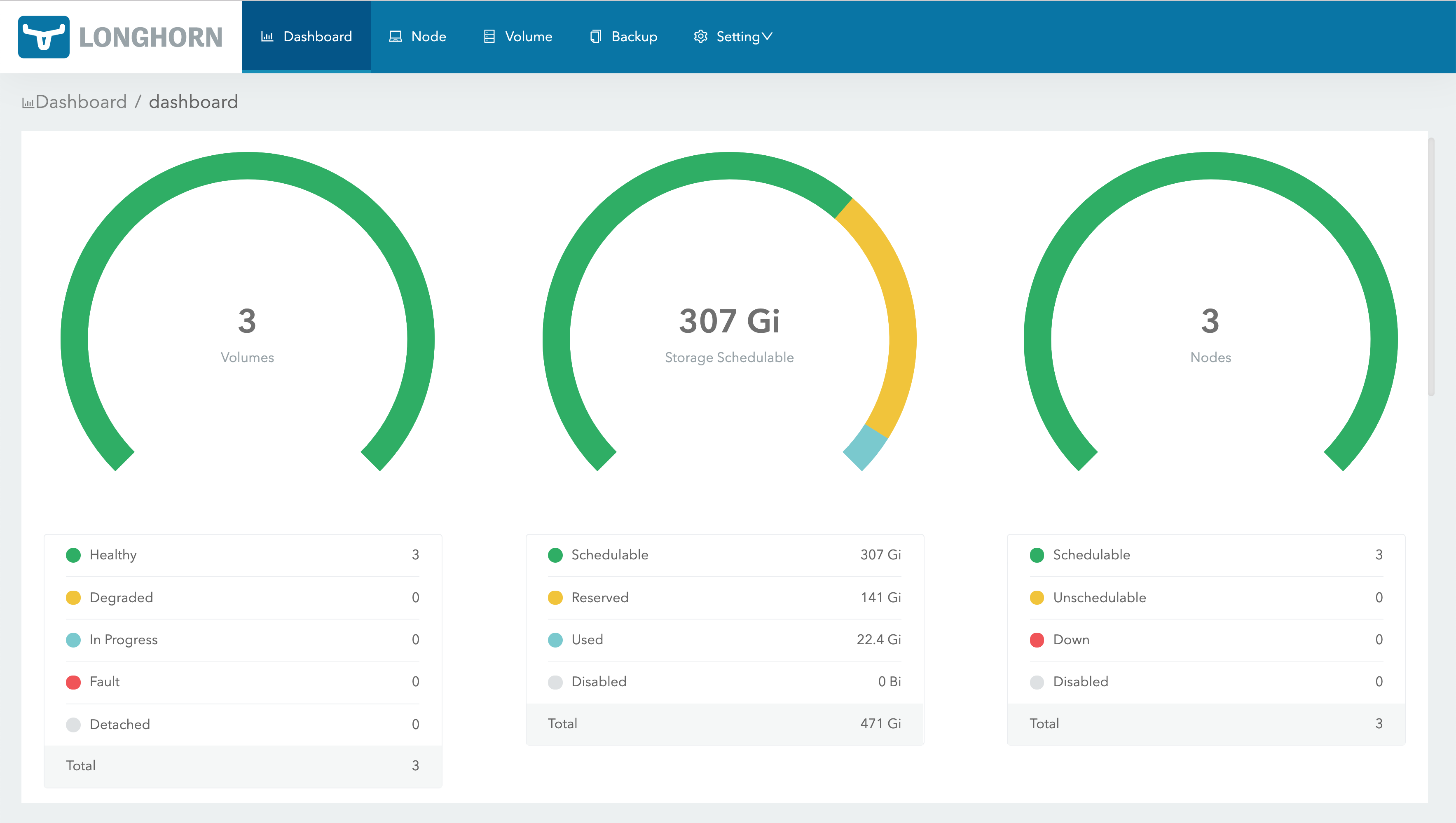
LoadBalancertoClusterIP.Navigate to the IP of
longhorn-frontendin your browser.The Longhorn UI looks like this: